New
AI Rendering
AI Interior Rendering
Turn a 3D model, sketch or room photo into a photorealistic interior render. Import OBJ, FBX or GLB, set the camera, and render every angle in the same style.

SIMPLE WORKFLOW
How AI interior rendering works in ArchRender
Three ways to start
3D model (OBJ, FBX or GLB): Export from SketchUp, Revit, Rhino or Archicad, import once, then render any camera angle inside the room.
Sketch or screenshot: Upload a hand sketch or a view from your modeling software and describe the materials and lighting.
Room photo: Upload a photo of an existing space and refine finishes, furniture or lighting in Edit Mode.
Built for interiors
Interior mode: enclosed rooms with time of day and environment controls.
Mood boards: and saved prompts for materials and style.
Look Lock: keep multi-angle views of the same room in one style.
Ultra for more realistic lighting and materials (2 credits).
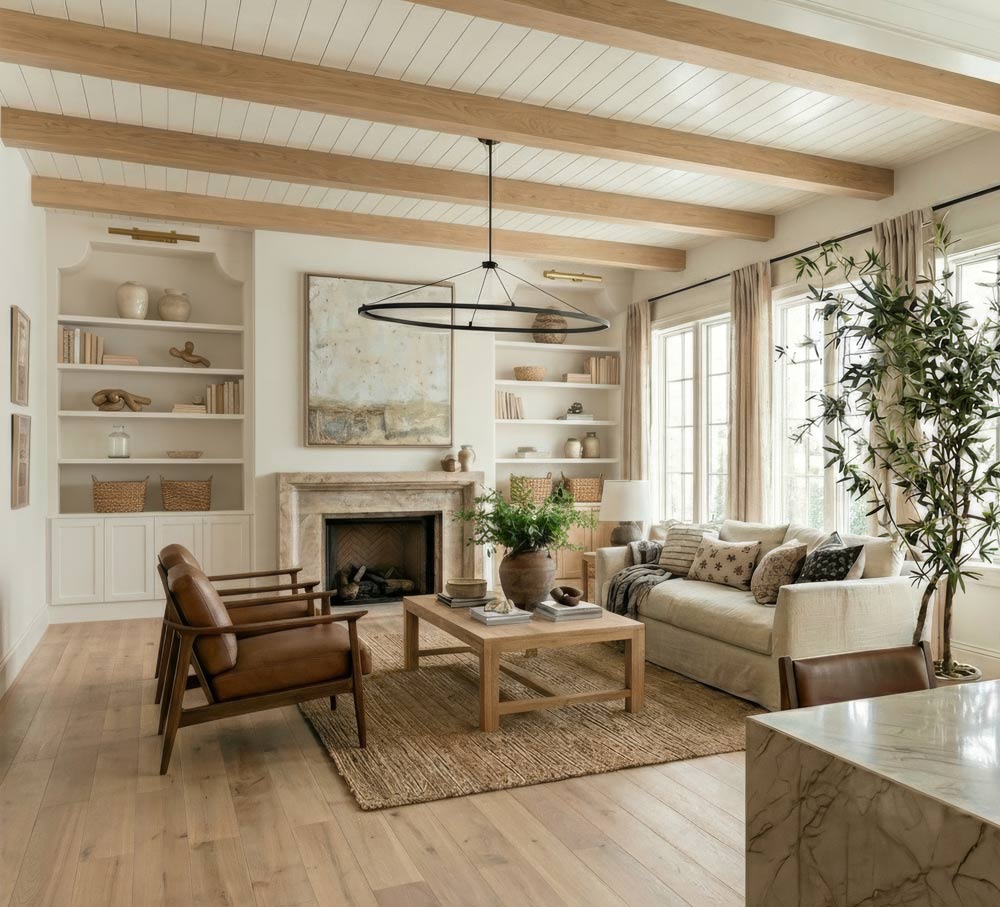
Loved By Thousands of Architects and Designers
ArchRender is a game changer for our business. What would take me hours (and not even get anywhere close to as realistic as these images) literally takes seconds with ArchRender. The 3D programs we’ve been using have been good but incorporating this program will help us level up and set us apart from the competition. Our clients will be so thrilled!
Rosewood Homes & Design Inc.
Go further
4K upscaling for presentations and print (1 credit).
Video Mode: turn a render into a 5- or 10-second clip.
Projects: every version and source file stays organized.
You own your renders
You own your renders and can use them commercially. Use them for client presentations, marketing, listings and other commercial work. See our Terms of Service for details. For model import steps, see the importing guide. For multi-angle rooms, see Look Lock.
Who it’s for
Architects presenting interior options to clients
Interior designers signing off finishes and furniture
Builders and developers staging unbuilt rooms
FAQ
Do I need a 3D model?
No. You can start from a sketch, screenshot or room photo. A 3D model (OBJ, FBX or GLB) lets you render every angle from one upload.
Will multi-angle interiors stay consistent?
Yes. Import the model once, move the camera, and use Look Lock so every view keeps the same style.
Can I use the renders commercially?
Yes. You own your renders and can use them commercially. See our Terms of Service.
How much does it cost?
Paid plans start at $29 a month for 150 credits. A standard render or edit uses 1 credit and Ultra uses 2. See pricing.
Interior spaces, any style
From kitchens and living rooms to offices and baths, ArchRender turns your models, sketches and room photos into photorealistic interior renders.