Exterior Rendering: The Complete Guide [2026]
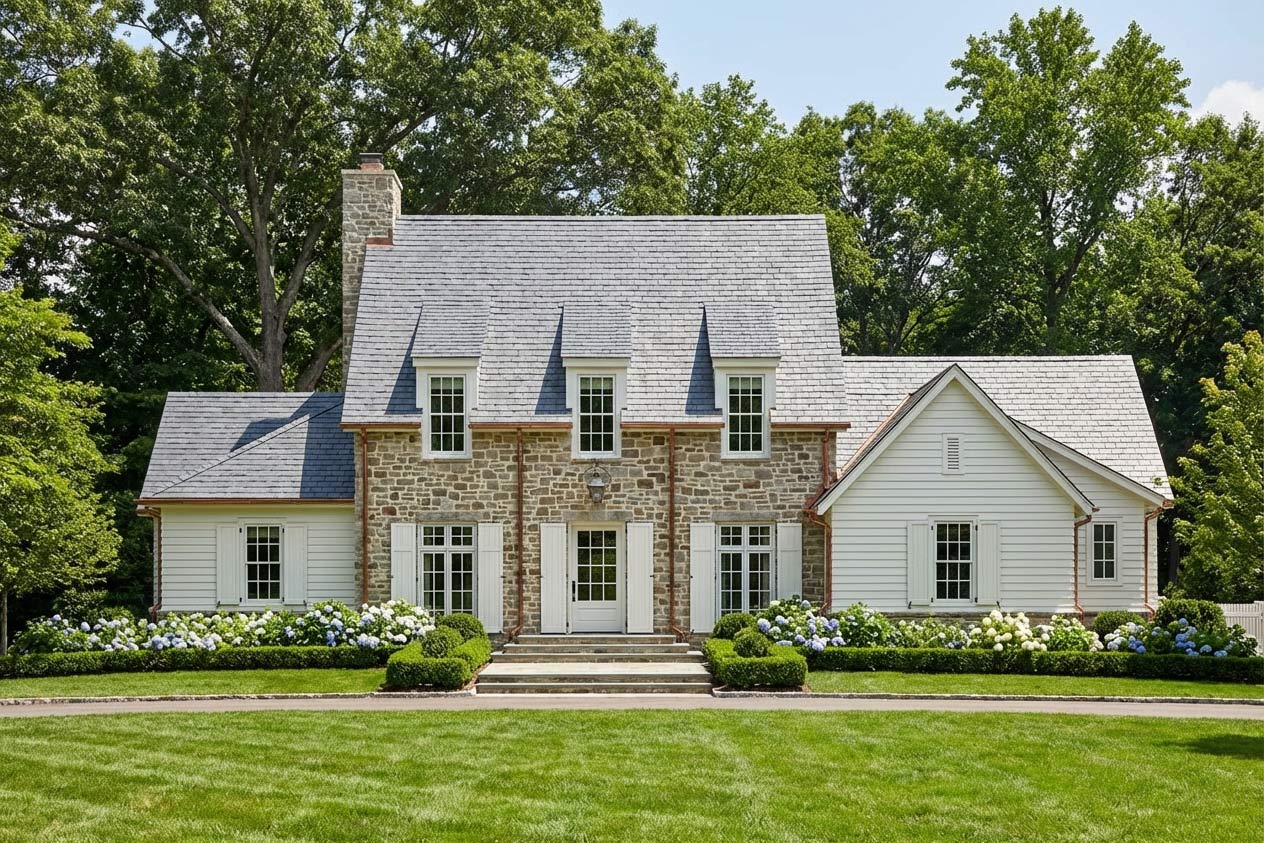
Exterior rendering is how architects, designers, and homeowners visualize the outside of a building before it's built. Whether you're pitching a design to a client or trying to decide on siding colors for your own home, a good exterior render can answer questions that floor plans and elevations never will.
This guide covers everything you need to know about exterior rendering in 2026, from traditional methods to AI-powered tools that can produce photorealistic results in seconds.
What Is Exterior Rendering?
Exterior rendering is the process of creating a realistic image of a building's outside appearance. It shows materials, lighting, landscaping, and context — everything a client or homeowner needs to understand what the finished project will actually look like.
A quick note: if you're in the UK or Australia, "exterior rendering" might also mean applying cement render or stucco to outside walls. This guide is about 3D visualization, not plastering — though if you're doing both, you'll want renders of those rendered walls before the plasterers arrive.
Why Exterior Renders Matter
Exterior renders serve several purposes:
For architects and designers, renders communicate design intent faster than drawings. A client who struggles to read plans will immediately understand a render. They also reduce revision cycles — it's easier to spot problems in a render than to discover them during construction.
For real estate developers, renders are marketing assets. Pre-sales depend on buyers understanding what they're purchasing before ground is broken.
For homeowners, renders eliminate guesswork. Choosing between three siding options is hard from swatches. Seeing each option applied to your actual house makes the decision obvious.
Types of Exterior Rendering
Photorealistic Rendering
The goal is an image indistinguishable from a photograph. Photorealistic renders show accurate materials, realistic lighting (often matched to the actual site's sun angles), and believable landscaping. These are what most clients expect for final presentations.
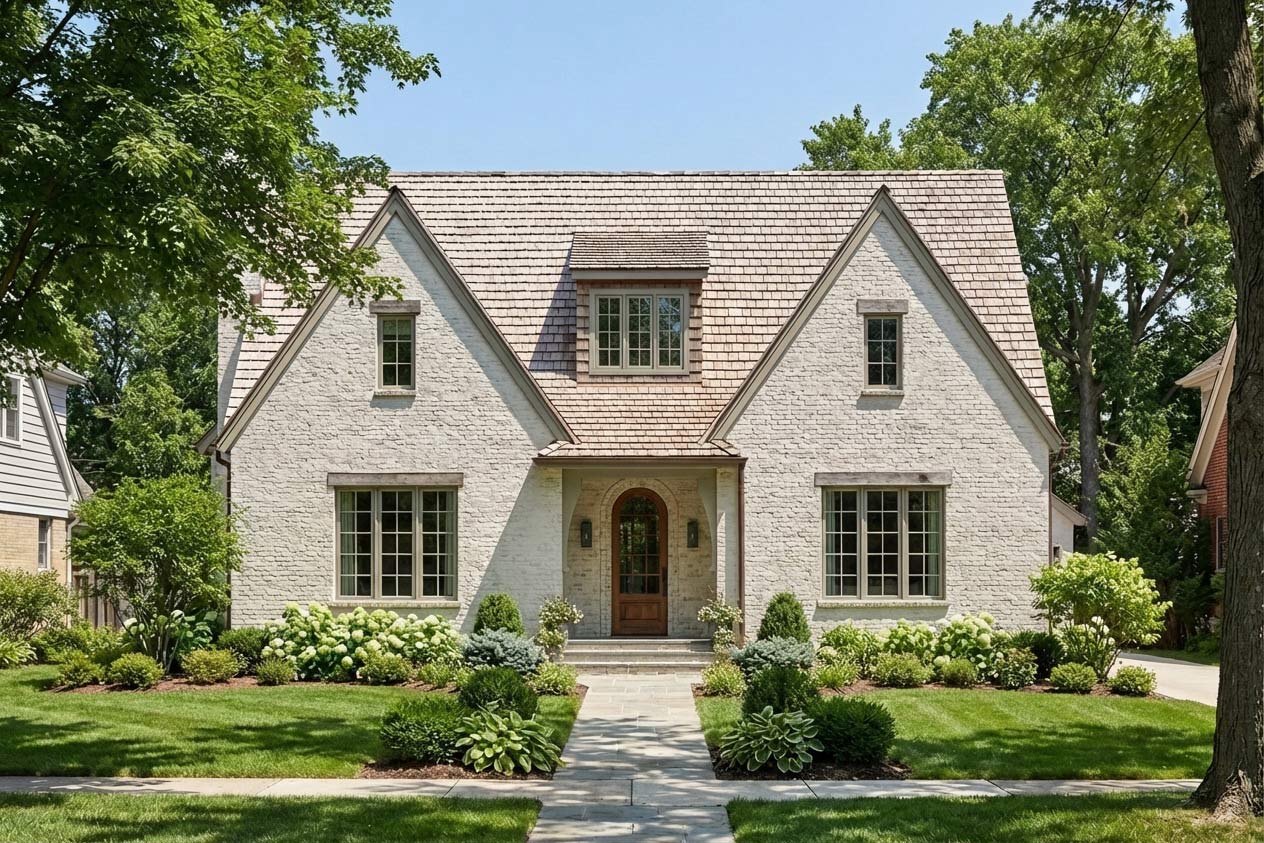
Traditional photorealistic rendering requires 3D modeling software, a rendering engine like V-Ray or Corona, and significant time — often hours or days per image.
Conceptual Rendering
Looser, more artistic interpretations used in early design phases. Conceptual renders might use stylized materials, simplified geometry, or illustrative techniques. The goal is to communicate design ideas quickly, not to show exactly what will be built.
Real-Time Rendering
Engines like Enscape, Lumion, and Twinmotion render in real-time, allowing designers to walk through a scene and adjust cameras on the fly. Quality has improved dramatically, though still trails dedicated offline renderers for final deliverables.
AI Rendering
The newest category. AI rendering tools accept an image or 3D model and generate photorealistic output in seconds rather than hours. Quality varies by tool, but the best results are now production-ready for many use cases.
Traditional Exterior Rendering Workflow
The conventional workflow for exterior rendering looks like this:
1. Create or obtain a 3D model — Built in SketchUp, Revit, Rhino, ArchiCAD, or similar. The model needs accurate geometry and basic material assignments.
2. Export to rendering software — The model moves to a dedicated renderer (V-Ray, Corona, Lumion, etc.) or stays in-app if using an integrated solution.
3. Set up materials — Assign physically accurate materials with proper reflectivity, roughness, and texture mapping. This step often takes longer than modeling.
4. Configure lighting — Set sun position, add artificial lights, adjust environment lighting. Getting lighting right is critical for realism.
5. Position cameras — Find flattering angles that show the design effectively.
6. Render — Hit the button and wait. A single high-quality exterior render might take 20 minutes to several hours depending on complexity and hardware.
7. Post-process — Adjust exposure, add people and cars, composite multiple render passes in Photoshop.
This workflow produces excellent results but requires specialized skills and significant time investment.
AI Exterior Rendering: A Faster Alternative
AI rendering tools have changed the economics of exterior visualization. What once required hours of setup and rendering now happens in seconds.
Most AI rendering tools work from screenshots or 2D images — you export a view from SketchUp, upload it, and receive a rendered version. This works, but has limitations. Each new camera angle requires a new export. Change the design, re-export everything.
ArchRender: 3D Model Import for Exterior Rendering
ArchRender takes a different approach. Instead of working from screenshots, it imports your actual 3D model files — OBJ, FBX, or GLB formats.
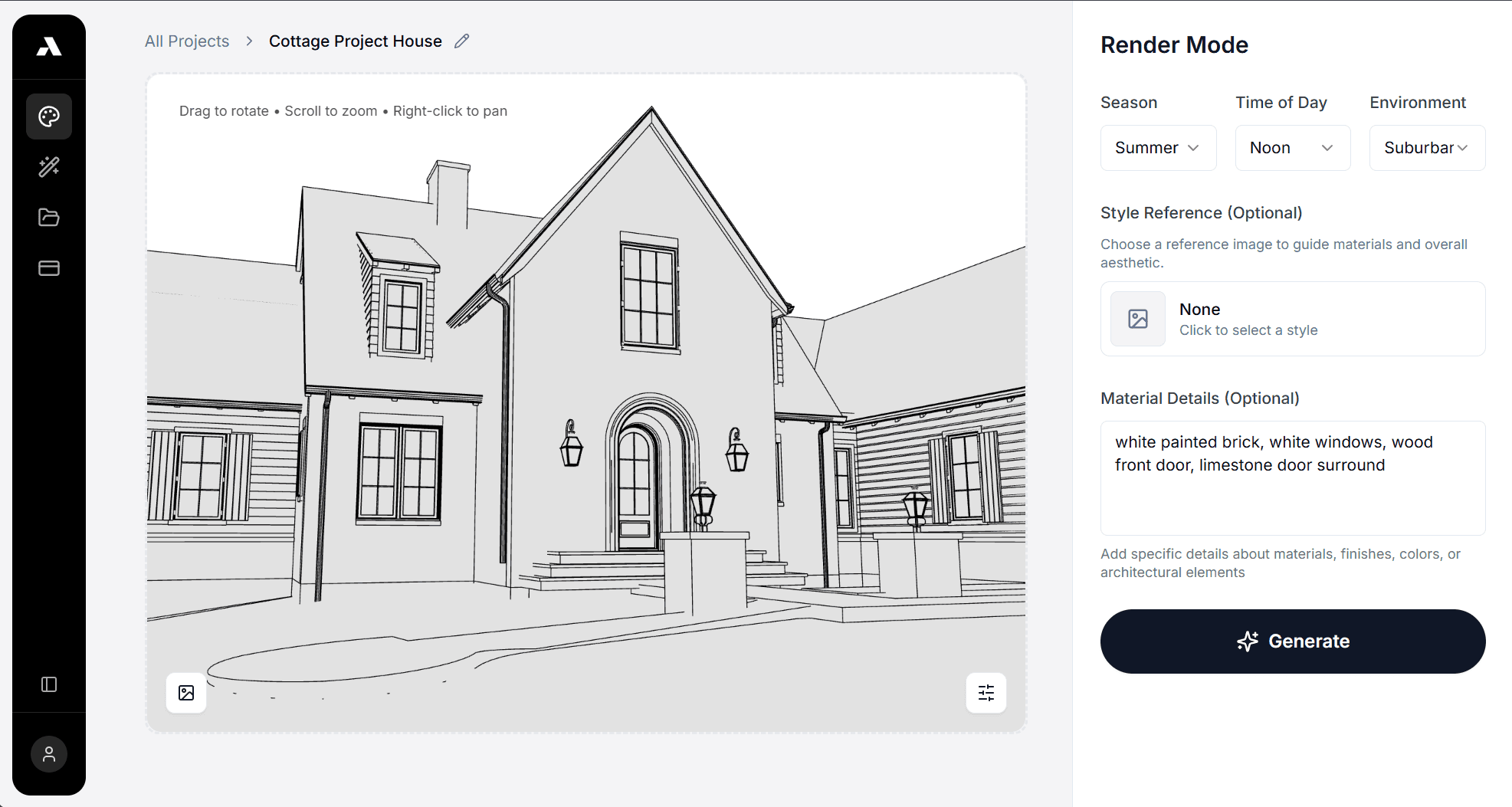
Upload once, render from any angle. The geometry, materials, and spatial relationships stay intact. Need ten different exterior views? Generate them without returning to your modeling software.
This matters for exterior rendering specifically because building exteriors need to be shown from multiple angles — street view, aerial, backyard, detail shots of entries. Re-exporting screenshots for each view adds up fast.
How it works:
Export your model from SketchUp, Revit, Rhino, or any software that outputs OBJ, FBX, or GLB
Upload to ArchRender
Position your camera anywhere around the exterior
Generate a photorealistic render in seconds
Adjust camera, render again — no re-upload needed
For SketchUp users, there's also a direct extension in the SketchUp Extension Warehouse that streamlines the export process.
Exterior Rendering Costs
Traditional Rendering Services
Outsourcing to a rendering studio typically costs:
Basic exterior render: $300–$500
High-end photorealistic render: $800–$2,000+
Full marketing package (multiple angles, aerial, detail shots): $3,000–$10,000+
Turnaround is usually 3–7 days for standard work, longer for complex projects.
In-House Traditional Rendering
If you're doing renders yourself with traditional tools:
Software costs: $500–$2,000/year for professional renderers
Hardware: $2,000–$5,000+ for a capable workstation
Time: 2–8 hours per high-quality exterior image
AI Rendering
AI tools have compressed these costs dramatically:
Per-render pricing: Some tools charge $1–$5 per image
Subscription pricing: $20–$100/month for unlimited or high-volume rendering
Time: Seconds to minutes per render
For firms producing multiple renders per project, AI rendering can reduce visualization costs by 90% or more.
Best Practices for Exterior Rendering
Camera Angles
The most effective exterior renders share common traits:
Eye-level perspectives feel natural and help clients imagine standing in front of the building. Set camera height at 5–6 feet.
Two-point perspective (vertical lines stay vertical) reads as more accurate than three-point perspective for most architectural subjects.
Show context — neighboring buildings, street, landscaping. Isolated buildings floating in space feel less real.
Golden hour lighting (early morning or late afternoon sun) adds warmth and drama. Midday sun creates harsh shadows.
Material Selection
Exterior materials need to read correctly at a distance:
Roofing should show appropriate texture and weathering
Siding and cladding need visible joints and reveals
Windows should show reflections of sky and surroundings
Landscaping breaks up hard geometry — add trees, shrubs, groundcover
Composition
Apply basic photography principles:
Rule of thirds — don't center the building; offset it
Leading lines — use driveways, paths, or fencing to draw the eye
Foreground interest — a tree branch, garden bed, or fence adds depth
Sky matters — dramatic clouds add interest; flat gray skies flatten images
Common Exterior Rendering Mistakes
Over-perfection: Real buildings have imperfections. Too-clean renders feel sterile. Add some wear, variation, and messiness.
Scale issues: People, cars, and furniture establish scale. Without them, buildings can feel ambiguous in size.
Lighting mismatches: Sun angle, shadows, and sky need to agree. A sunset sky with midday shadows breaks the illusion.
Floating buildings: Show the ground plane, curb cuts, grading changes. Buildings need to sit in their site, not hover above it.
Wrong vegetation: Plants should match the climate zone. Palm trees in Minnesota destroy credibility.
Exterior Rendering Software Options
Traditional Renderers
V-Ray: Industry standard for photorealism. Steep learning curve, excellent results.
Corona: Simpler than V-Ray, comparable quality. Growing in popularity.
Lumion: Real-time rendering with large asset library. Good for quick iterations.
Enscape: Integrates directly with Revit, SketchUp, Rhino. Fast and intuitive.
Twinmotion: Free for non-commercial use. Unreal Engine quality.
D5 Render: Real-time renderer gaining traction. Good free tier.
AI Renderers
ArchRender: Imports 3D models (OBJ, FBX, GLB) for multi-angle rendering from a single upload
Midjourney: Text-to-image AI that can produce architectural concepts (not from your models)
Various screenshot-based tools: Upload 2D exports, receive rendered versions
Getting Started with Exterior Rendering
If you're new to exterior rendering, the fastest path to results:
For quick concept work: AI tools let you see ideas rendered in minutes without learning complex software.
For production work: Start with real-time renderers like Enscape or Lumion. The learning curve is manageable and results are client-ready.
For maximum quality: Invest time in V-Ray or Corona. The ceiling is higher, but so is the time investment.
For efficiency at scale: Tools like ArchRender that import 3D models directly eliminate the export-render-repeat cycle that slows down multi-image projects.
Whatever path you choose, exterior rendering has never been more accessible. The gap between "quick visualization" and "photorealistic marketing image" continues to narrow as tools improve.
Ready to try AI-powered exterior rendering? ArchRender imports your 3D models and generates photorealistic exteriors in seconds — no GPU hardware or rendering expertise required.