The Best Lumion Alternative in 2026: Faster AI Rendering for Architects
For years, Lumion has been one of the most popular rendering tools for architects and designers. It offers powerful visualization features and impressive real-time effects, but it also comes with significant drawbacks. High hardware requirements, expensive licenses, long setup times, and steep learning curves have made many professionals search for a better alternative.
As architectural workflows continue to evolve, many firms are turning to AI rendering platforms that deliver realistic results without complex software pipelines. In 2026, ArchRender stands out as one of the most effective Lumion alternatives for architects who value speed, simplicity, and flexibility.
This article explains why traditional rendering tools are losing ground and how AI rendering is changing the way architects create visualizations.
Why Architects Are Looking for a Lumion Alternative
While Lumion is capable of producing high-quality visuals, it demands powerful graphics hardware and significant system resources. Many users must invest in expensive workstations or GPUs just to achieve acceptable performance. For smaller firms, independent designers, and students, this creates a major barrier to entry.
In addition to hardware limitations, Lumion requires extensive scene setup. Users must carefully configure lighting, materials, environments, vegetation, and camera paths before generating final renders. Even experienced professionals can spend hours preparing a single scene.
Licensing costs also add up over time. Annual subscriptions and upgrades represent a significant ongoing expense, especially for firms managing multiple seats.
As project timelines shorten and clients expect faster turnaround, these limitations are pushing architects to seek faster, more efficient alternatives.
How AI Rendering Is Changing Architectural Visualization
AI rendering removes many of the technical obstacles associated with traditional rendering engines. Instead of building full 3D scenes with complex lighting and material systems, designers can generate realistic images directly from their models or screenshots.
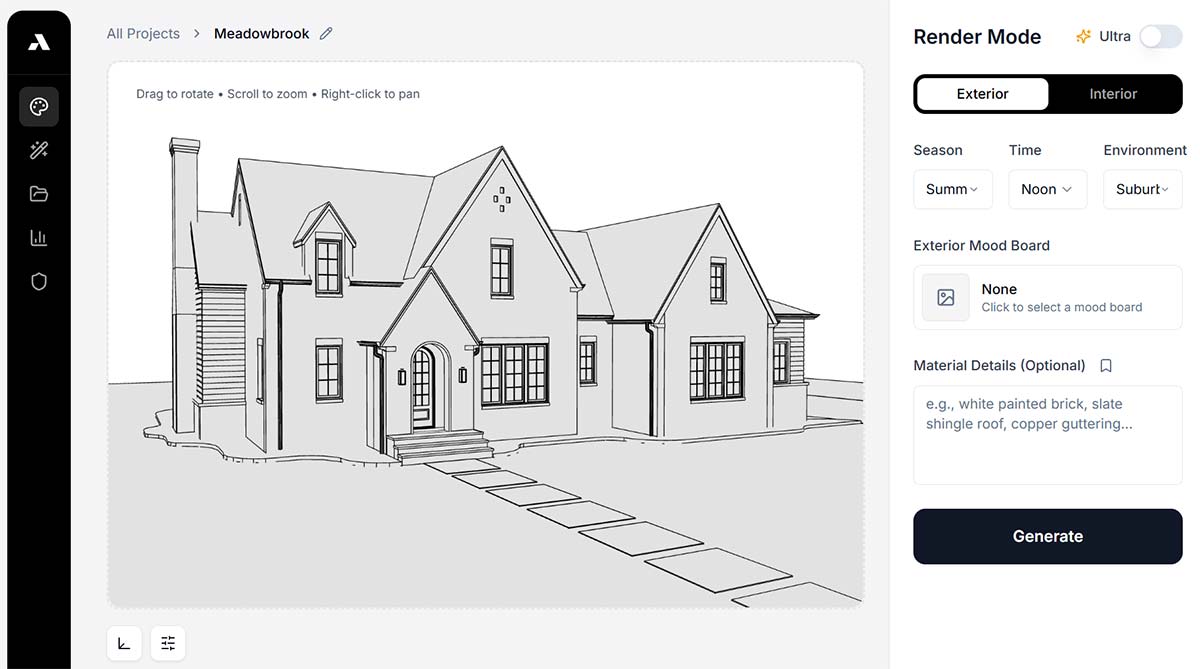
Platforms like ArchRender analyze geometry, perspective, depth, and surface information automatically. They enhance lighting, textures, reflections, and atmosphere without requiring manual configuration. This allows architects to focus on design decisions rather than software settings.
If you work primarily in SketchUp or Revit, you can also explore detailed guides on AI rendering SketchUp projects and AI rendering Revit models.
Because AI processing happens in the cloud, users are no longer limited by their local hardware. High-quality renders can be generated on standard laptops, tablets, or desktop computers.
Why ArchRender Is a Strong Alternative to Lumion
ArchRender was built specifically for architects and designers who work with professional modeling tools. Unlike generic image generators, it supports workflows that preserve architectural accuracy while improving realism.
Users can upload screenshots from SketchUp, Revit, Rhino, or other modeling software and generate AI renders in seconds. For more advanced control, ArchRender also supports 3D model imports that allow designers to adjust camera views before rendering.
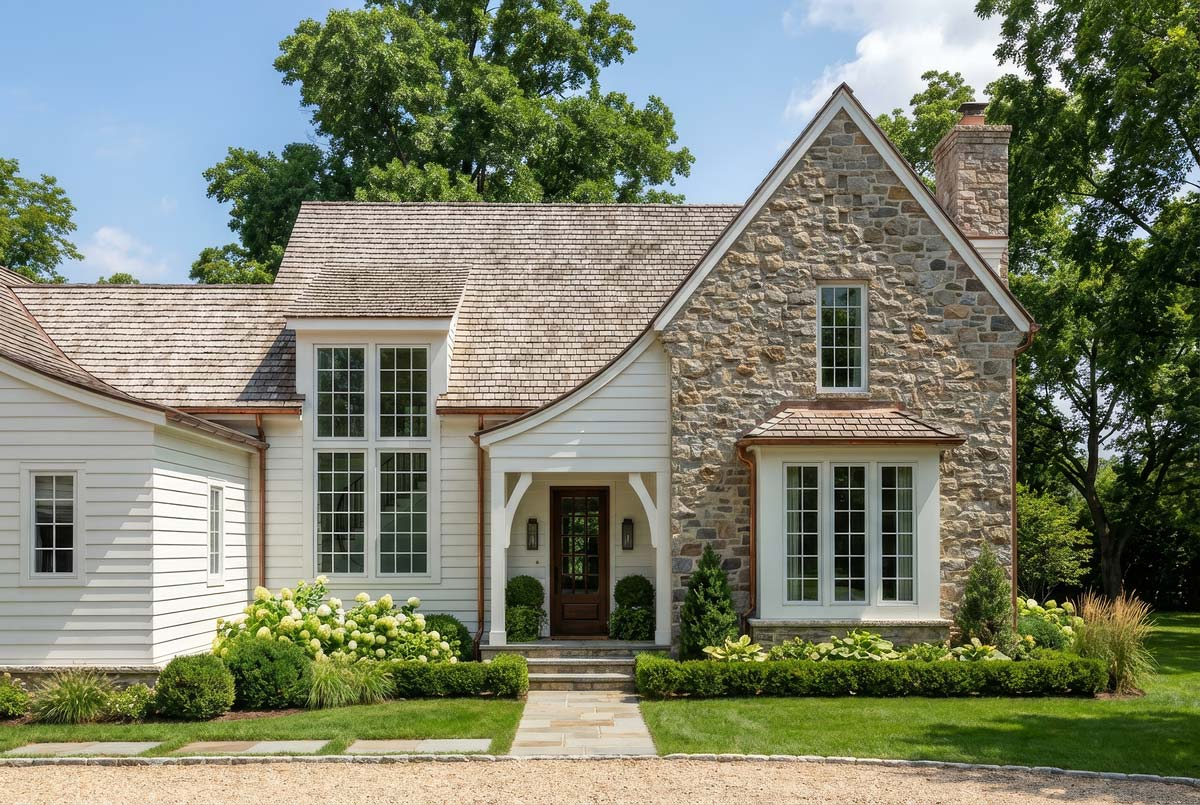
The platform eliminates the need for complicated lighting setups, manual material mapping, and time-consuming test renders. Results are produced almost instantly, making it easy to explore multiple design options in a short amount of time.
You can explore these features in more detail on the ArchRender platform page.
Speed and Workflow Advantages Over Lumion
One of the biggest differences between Lumion and ArchRender is speed. Traditional rendering workflows often require several minutes or even hours to prepare and render each scene. Small changes may require repeating the entire process.
With ArchRender, most renders are completed in seconds. This allows architects to iterate rapidly and respond to client feedback immediately. Design reviews become more collaborative and productive because visual updates can be generated in real time.
Faster rendering also supports early-stage design exploration. Instead of waiting until later project phases, architects can visualize concepts from the beginning and refine ideas continuously.
This level of responsiveness is difficult to achieve with traditional desktop rendering software.
Hardware and Cost Benefits
Lumion depends heavily on high-performance GPUs and large amounts of system memory. Maintaining compatible hardware can be expensive and requires frequent upgrades as software requirements increase.
ArchRender removes this dependency by performing AI rendering in the cloud. Users can generate professional visuals without investing in specialized workstations or graphics cards. This reduces upfront costs and simplifies IT management for firms.
You can view current plans and usage options on the ArchRender pricing page.
Flexibility Across Design Platforms
Modern architectural workflows rarely rely on a single modeling application. Many firms use combinations of Revit, SketchUp, Rhino, Blender, and other tools depending on project requirements.
ArchRender is designed to work across these platforms through both image-based and model-based workflows. Designers are not locked into a specific software ecosystem and can continue using their preferred tools.
Supporting Client Communication and Marketing
Clear visual communication is essential for successful projects. High-quality renders help clients understand spatial relationships, materials, and design intent more effectively than drawings alone.
With ArchRender, architects can generate presentation-ready images for meetings, proposals, marketing materials, and online portfolios without outsourcing visualization work. This improves consistency and reduces production timelines.
The ability to quickly generate multiple design variations also strengthens client engagement and decision-making.
Comparing Lumion and ArchRender in Practice
Lumion remains a powerful tool for users who require fully interactive environments, animations, and complex landscape systems. For large visualization studios with dedicated hardware and specialized staff, traditional rendering engines may still play a role.
However, for most architects focused on design efficiency, speed, and cost control, AI rendering platforms offer a more practical solution.
ArchRender provides realistic results without long setup times, expensive equipment, or steep learning curves. Its focus on architectural workflows makes it especially suitable for professionals who want high-quality visuals without technical complexity.
Choosing the Right Rendering Solution in 2026
As AI technology continues to advance, cloud-based rendering platforms are becoming central to architectural practice. Faster turnaround, lower hardware requirements, and simplified workflows are reshaping how designers visualize projects.
ArchRender represents this new generation of tools. By combining AI rendering with support for professional modeling software, it delivers a modern alternative to traditional engines like Lumion.
For architects who want to produce realistic images in seconds, collaborate more effectively with clients, and reduce technical overhead, ArchRender offers a compelling solution.
Conclusion
In 2026, the demand for faster, simpler, and more flexible rendering tools continues to grow. While Lumion has played an important role in architectural visualization, its hardware requirements and complex workflows no longer align with the needs of many modern firms.
ArchRender provides a powerful AI-based alternative that allows architects to generate high-quality renders in seconds using their existing models and screenshots. By eliminating the need for expensive hardware and lengthy setup processes, it enables designers to focus on what matters most: creating great architecture.