How to Create an AI Render of a House in Minutes (Without Expensive Software)
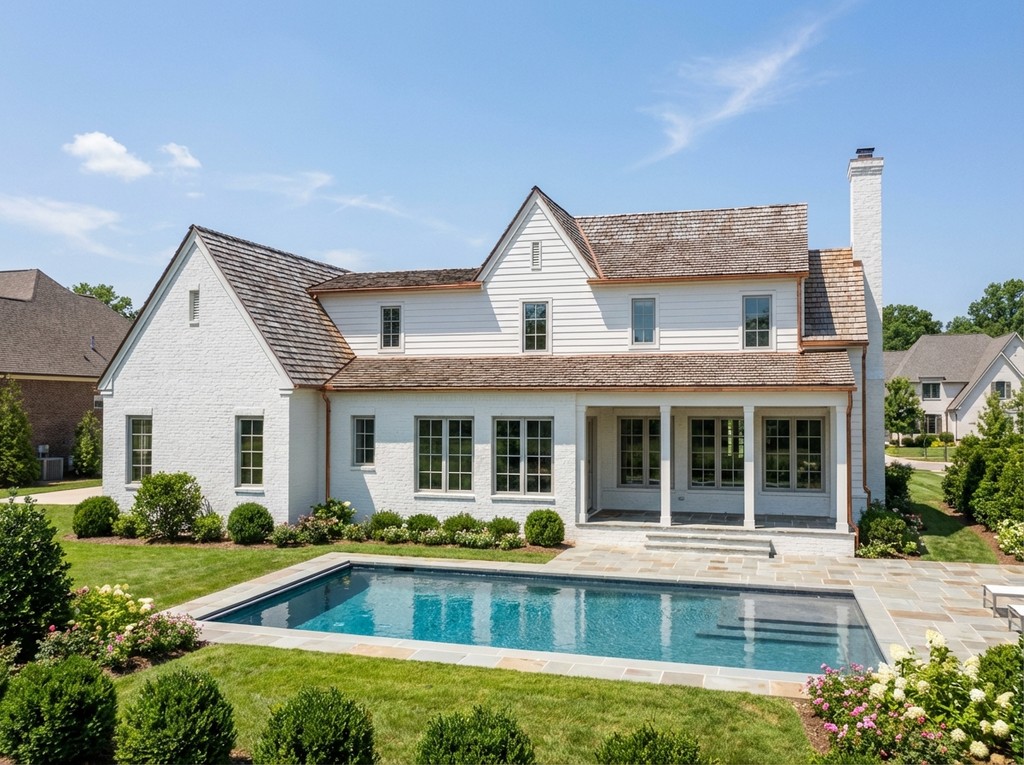
Not long ago, creating realistic images of a house meant learning complicated software, buying an expensive computer, and spending hours setting up lighting and materials. For many homeowners, builders, and designers, professional-quality renders felt out of reach.
Today, AI rendering has changed that. Tools like ArchRender make it possible to turn a simple screenshot or 3D model into a realistic image in minutes. There is no need for a powerful graphics card or a background in rendering. If you can take a clean view of your design, you can create a great-looking AI render.
This guide walks through how to create an AI render of a house quickly, without investing in traditional rendering software.
Why Traditional House Rendering Takes So Much Time
Most traditional rendering programs rely on detailed scene setup and heavy computer processing. You often have to adjust lighting, fine-tune materials, set up environments, and run multiple test renders before you get something usable.
Even small changes can mean starting over. That makes the process slow and frustrating, especially when you are trying to move a project forward or respond to feedback.
AI rendering removes much of that manual work by handling realism automatically in the background.
What an AI Render Is and Why It Works
An AI render is created using software that studies your design and fills in realistic details on its own. It looks at perspective, depth, surfaces, and lighting, then builds a finished image that feels natural and believable.
Instead of manually controlling every setting, you give the system a clear view of your design and a few basic instructions. The AI takes care of the rest.
If you primarily work in professional modeling software, you may also find it helpful to read our guides on AI rendering SketchUp projects and AI rendering Revit models.
Getting a House Design Ready for Rendering
Before uploading anything, it helps to spend a few minutes cleaning up your view. If you are using software like Revit or SketchUp, choose a perspective that shows the main features of the house clearly.
Make sure walls, windows, and major materials are visible. Turn off unnecessary notes, guides, and reference lines. A simple, uncluttered view almost always produces better results.
If you do not have a full 3D model, a high-quality elevation, concept drawing, or rendering screenshot can also work.
Uploading Your Design to ArchRender
Once your image or model is ready, upload it to ArchRender and create a new project. The platform works directly in your browser, so there is nothing to install.
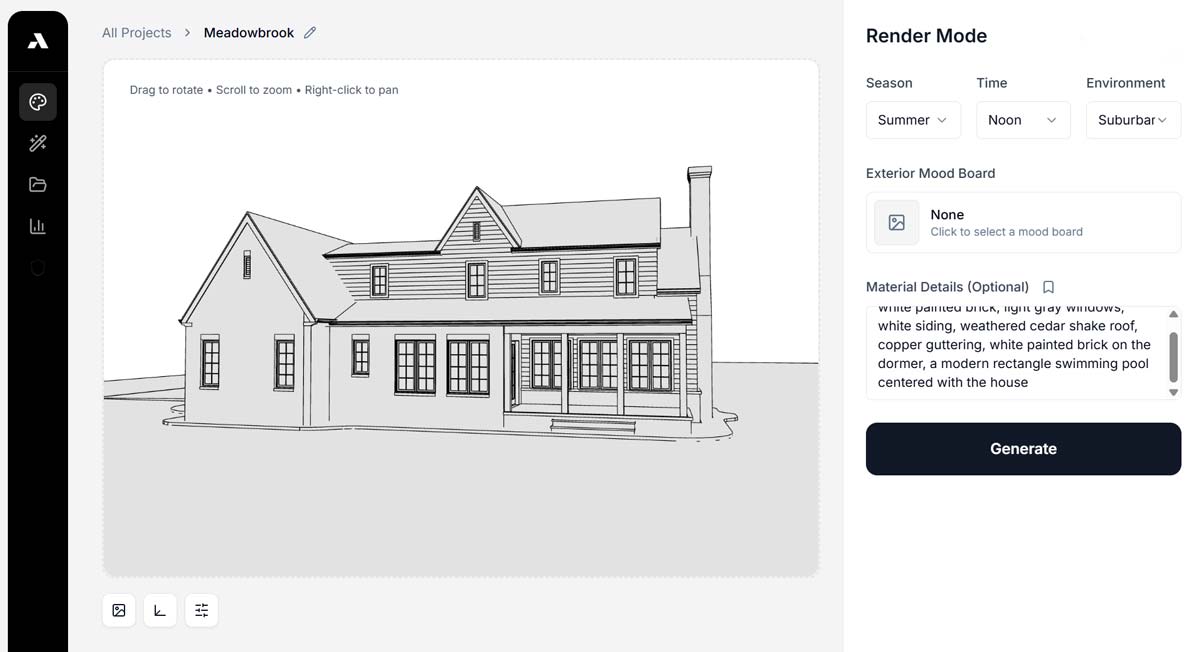
After uploading, ArchRender analyzes the perspective and structure of the design. You can also describe the style you want, such as modern, traditional, warm, minimal, or bright daylight.
These small details help guide the final result without overcomplicating the process.
Creating an AI Render in Minutes
After everything is set, the rendering process starts almost immediately. In most cases, you will see results in seconds.
Lighting becomes more natural, materials look more realistic, and reflections and shadows start to feel right. Windows, siding, stone, and roofing all gain depth and texture without manual adjustments.
Because it happens so quickly, you can test ideas without slowing down your work.
Making Changes and Trying New Ideas
One of the biggest advantages of AI rendering is how easy it is to experiment. If something does not look right, you can adjust your prompt, upload a new view, or try a different style and generate another render right away.
You might test daytime versus evening lighting, different exterior colors, seasonal landscaping, or alternative materials. Each version only takes a few seconds, which makes the process feel creative instead of frustrating.
This makes it much easier to work with clients and make decisions together.
Using AI Renders for Planning and Presentations
Realistic images help people understand a project far better than drawings alone. AI renders make it easier to explain layout, scale, and materials to homeowners, investors, and contractors.
They can be used for client meetings, presentations, marketing materials, listings, and design reviews. Because the images look realistic but stay true to the original design, they help build confidence and reduce confusion.
Being able to show several options also speeds up approvals and keeps projects moving.
Why AI Rendering Is More Practical Than Traditional Software
Traditional rendering programs often require expensive computers and constant upgrades. Keeping up with hardware and licensing costs can be a burden, especially for small firms and independent designers.
AI rendering platforms work in the cloud, which means most of the heavy processing happens online. You can create professional images on a regular laptop without worrying about performance.
This makes high-quality visualization more accessible and more affordable.
Why ArchRender Works Well for House Rendering
ArchRender is designed specifically for architectural projects. It works with both screenshots and 3D models and focuses on preserving accurate proportions and structure.
Because it is built for designers and builders, it avoids the unpredictable results that often come from general-purpose image generators. The output stays grounded in real-world construction and layout.
You can explore more tutorials and workflows in the ArchRender blog.
Choosing the Right Workflow
Some projects only need a quick concept image, while others require consistent views and multiple scenes. For simple ideas, a screenshot may be enough. For larger projects, importing a model gives you more control.
ArchRender supports both approaches, so you can adjust your workflow as your needs change.
This flexibility makes it easier to stay productive as projects grow.
Conclusion
Creating an AI render of a house no longer requires expensive software or technical expertise. With tools like ArchRender, realistic visualization is available to anyone who can capture a clear design view.
By preparing a clean image, uploading it to the platform, and experimenting with different options, you can create high-quality renders in minutes. This makes design decisions faster, communication clearer, and projects easier to move forward.
For homeowners, builders, and designers looking for a simpler way to visualize ideas, AI rendering offers a practical and modern solution.