Using Mood Boards with ArchRender
Mood boards can dramatically improve results in ArchRender when they are used correctly.
ArchRender includes a Mood Board upload option in the Settings panel, allowing you to attach a single mood board image to guide materials, colors, and overall style. This feature is designed to influence the look and feel of your render without changing the underlying architecture.
This guide explains how to use mood boards effectively and the most common mistake to avoid.
What a Mood Board Is and Is Not
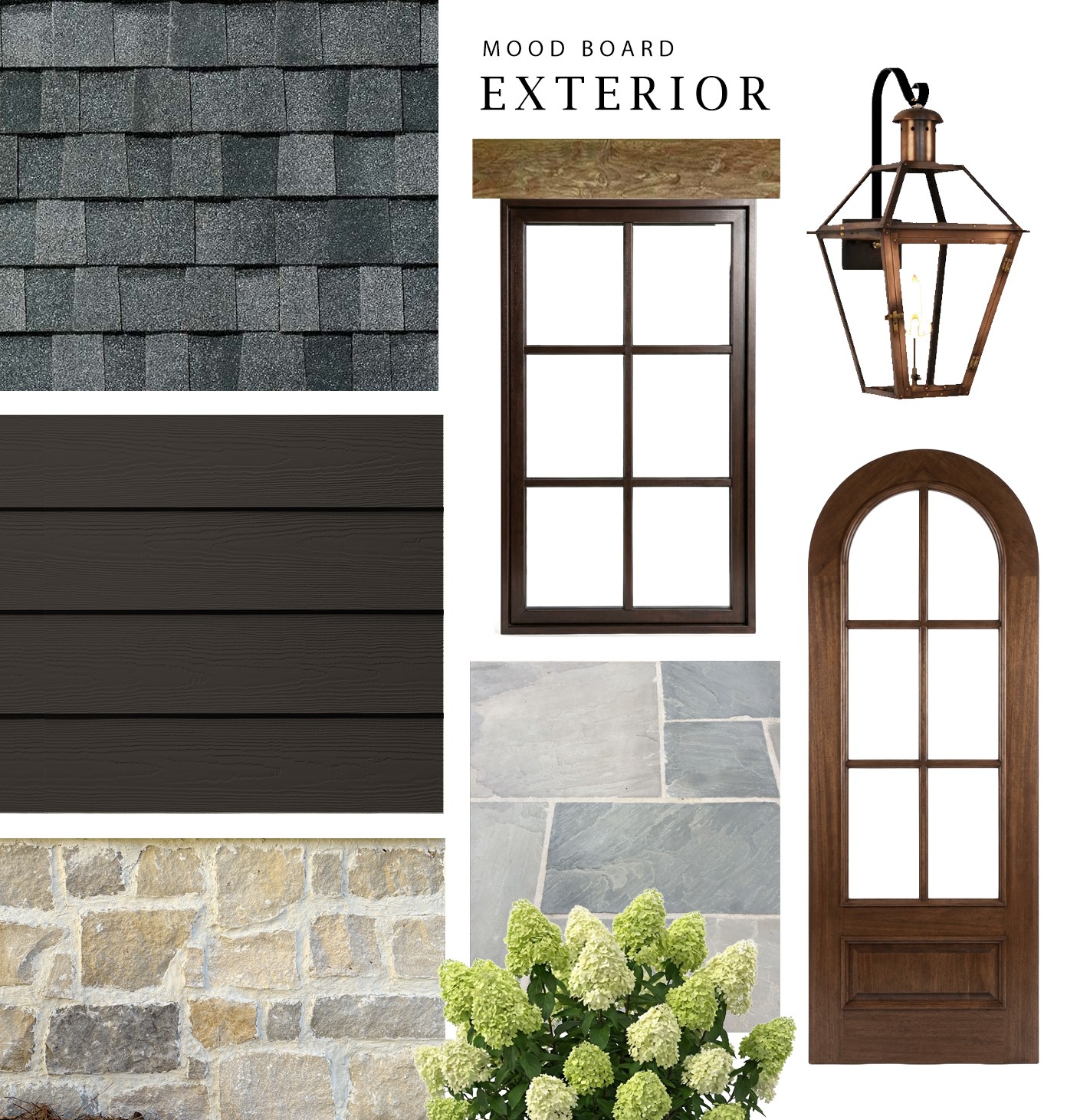
A proper mood board is a curated collection of individual design elements, not a finished house.
A strong mood board may include:
Exterior materials such as siding, stone, or brick
Roofing textures
Window styles or finishes
Doors and hardware
Exterior lighting fixtures
Hardscape materials
Landscaping references
Color and tonal inspiration
Each item should represent a component, not an entire architectural design.
Here is an example mood baord:
What a Mood Board Is Not
Uploading a photo of another home is not a mood board.
A single finished house image:
Locks in architecture, proportions, and massing that do not match your design
Forces the AI to guess which elements matter
Often results in unintended style or structural changes
If your goal is to guide materials and atmosphere rather than copy an existing house, a full home photo works against you.
Why Whole House Photos Cause Problems
When a complete house image is uploaded as a mood board, ArchRender cannot determine:
Which elements you want to reference
What should be applied to your design
What should be ignored
Is it the siding, the roof color, the windows, or the landscaping?
Because everything is bundled together, the result is often:
Architectural drift
Inconsistent materials
Changes to massing or proportions
Mood boards eliminate this ambiguity by separating inspiration from structure.
What Makes an Effective Mood Board
The most effective mood boards share a few key qualities:
Isolated elements on neutral backgrounds
A limited and cohesive palette
Materials shown at an appropriate scale
No competing architectural forms
A mood board defines the design language, not the building itself.
How to Use the Mood Board Feature in ArchRender
In the Settings panel, upload your mood board image using the Mood Board option.
For best results:
Pair the mood board with a clean elevation or massing model
Use Render Mode for early design visualization
Write prompts that explain how the mood board should influence the render
Example prompt language:
Use the uploaded mood board for exterior materials and lighting style
Apply the stone, siding, and window tone from the mood board
Follow the mood board for color palette and exterior finishes
The mood board provides visual reference. The prompt provides direction.
Best Practices
Do upload curated material and style references
Do not upload photos of complete houses
Keep architecture and inspiration separate
Let your design define form and the mood board define feel
When used correctly, the Mood Board feature helps ArchRender produce results that feel intentional, cohesive, and custom.