Real Estate Rendering: The Complete Guide [2026]
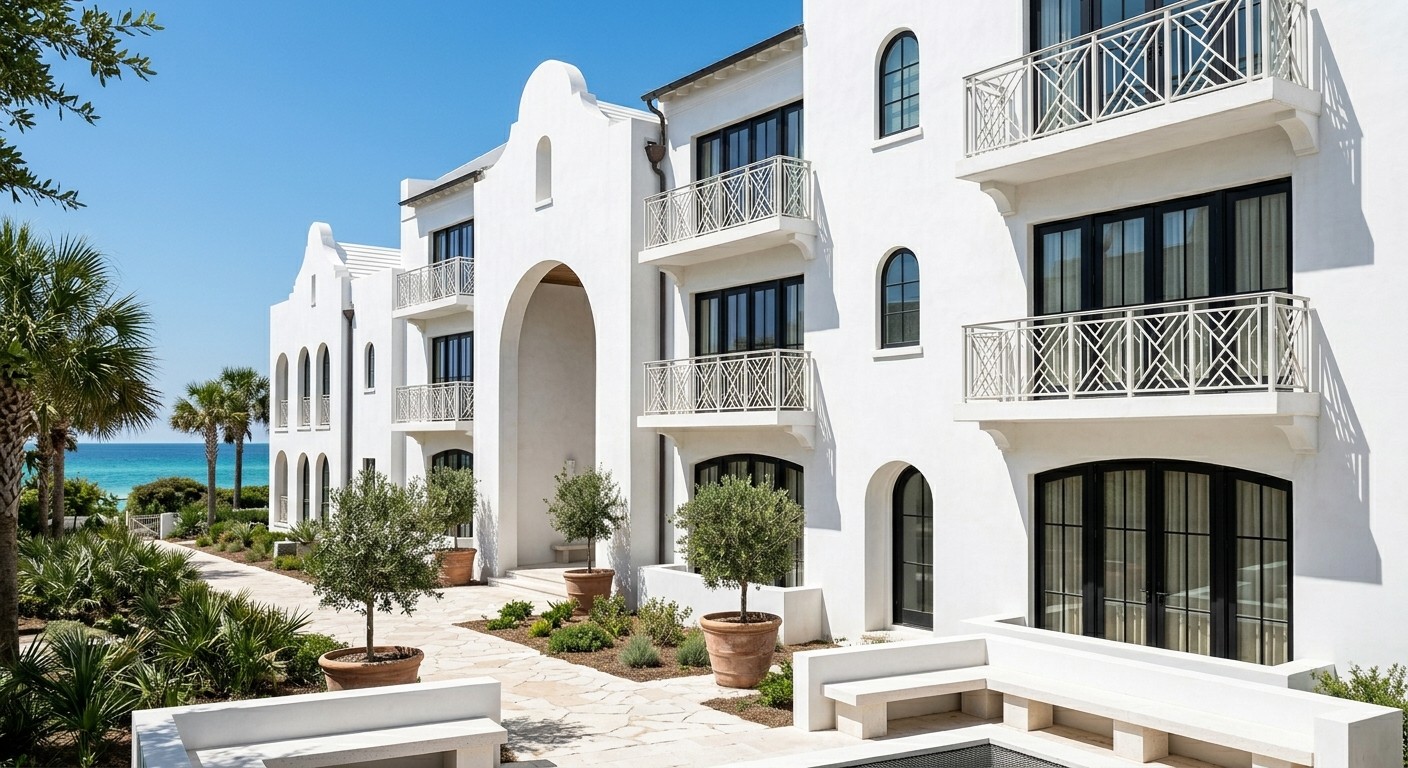
Real estate rendering is how developers, agents, and brokers sell properties before they exist. Whether you're marketing a pre-construction condo, a custom home build, or a commercial development, a great render does what listing photos can't. It shows buyers a finished product they can imagine themselves in.
This guide covers everything you need to know about real estate rendering in 2026: what it is, what it costs, the workflows that actually work, and how AI is reshaping the entire industry.
What Is Real Estate Rendering?
Real estate rendering is the process of creating photorealistic images of a property for marketing purposes. The property might be unbuilt (pre-construction), under renovation, or simply being staged virtually. The goal is the same: give buyers a clear, compelling visual that drives interest and offers.
Real estate renders typically fall into three categories:
Pre-construction renders — Used to sell properties before ground is broken. Common in condo developments, custom homes, and commercial projects. The render is the listing photo until the building exists.
Virtual staging renders — Empty rooms transformed into furnished, styled spaces. Used to help buyers visualize how a property could be lived in without paying for physical staging.
Renovation renders — Showing a fixer-upper or older property as it could look after renovation. Useful for both selling and helping buyers picture the potential.
Why Real Estate Renders Matter
Listings with quality visuals consistently outperform those without. The reason is simple: most buyers can't read floor plans or visualize raw spaces. A render answers their unspoken question — "What will this actually look like when I'm living here?"
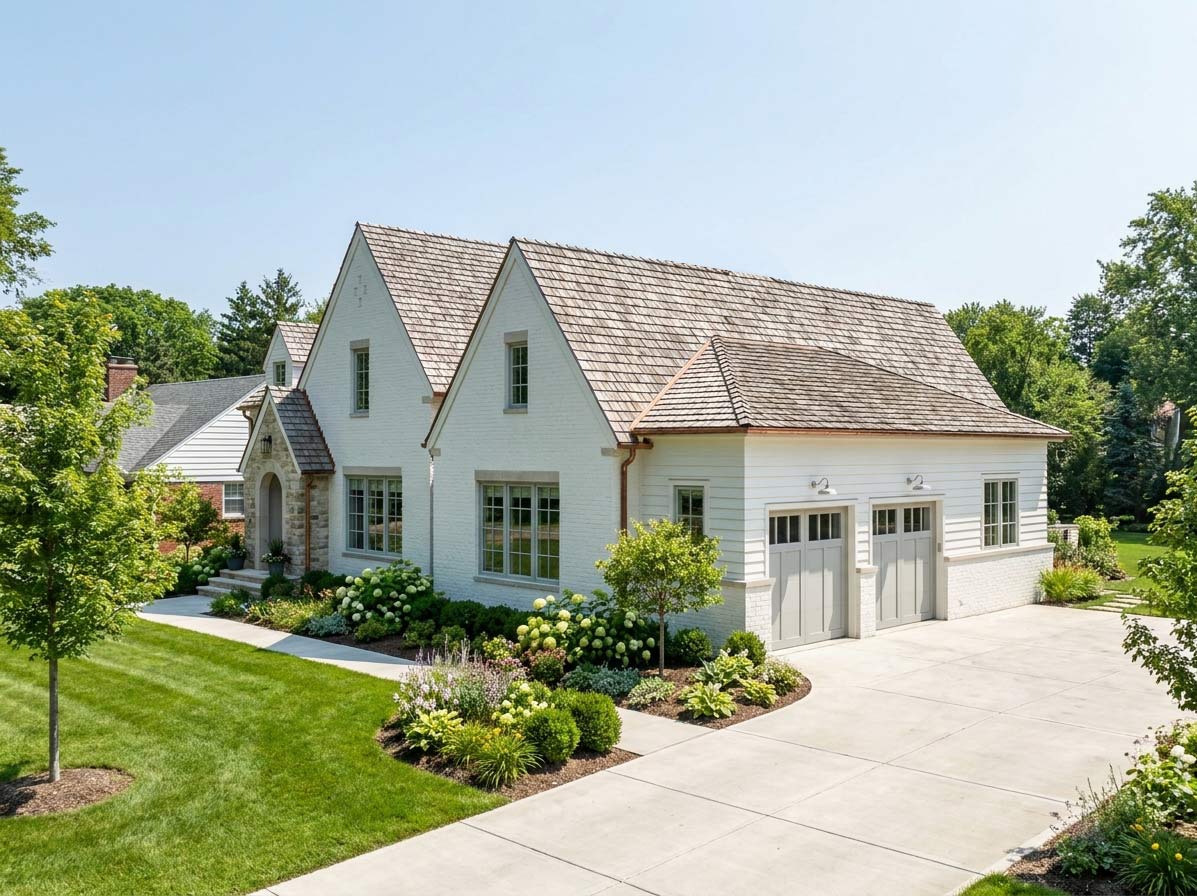
For developers, real estate renders are not optional. Pre-sales depend on them. Buyers won't put money down on a hole in the ground based on architectural drawings. They need to see the finished product.
For agents, renders unlock listings that physical staging can't help. Empty homes feel cold. Vacant lots feel abstract. Renovation projects feel like work. The right render reframes the property as a finished product that's ready to be lived in.
For builders and contractors, renders reduce sales cycle friction. A homeowner who can see exactly what their finished addition will look like is much faster to commit than one staring at construction plans.
How Much Does Real Estate Rendering Cost?
Costs vary dramatically depending on the approach.
Traditional rendering services:
Single exterior render: $300–$1,200
Single interior render: $250–$800
Full marketing package (multiple views): $2,000–$10,000+
Turnaround time: 5–14 days, with revision rounds adding more
Virtual staging services:
Per room: $30–$100
Bulk packages: $20–$50 per image
Turnaround: 24–72 hours typical
AI rendering tools:
Subscription pricing: $20–$120 per month
Cost per render: pennies to a few dollars
Turnaround: seconds
For an active agent producing dozens of listings per year, traditional rendering quickly becomes the largest line item in marketing spend. AI rendering has compressed that cost by 90% or more.
The Real Estate Rendering Workflow
Different property types and use cases call for different workflows.
Pre-Construction Marketing
The most demanding category. The render is the entire listing photo set, so it has to do everything physical photography would.
A typical pre-construction render package includes:
Hero exterior shot (front elevation, ideally at golden hour)
Aerial/drone-style view showing the property in context
Multiple interior views of key rooms (kitchen, primary suite, living area)
Twilight exterior with interior lights glowing
Lifestyle context shots (rooftop, pool, amenities for condos)
The traditional path: hire a 3D visualization studio, provide architectural plans and material specifications, and wait two to four weeks for the first round of images. Revisions add another week per round. Total cost can run $5,000 to $25,000 for a full condo project.
Virtual Staging
Photograph the empty rooms, then digitally furnish and style them. The traditional workflow uses a virtual staging service that does manual edits in Photoshop or 3D software. AI virtual staging tools have made this nearly instant.
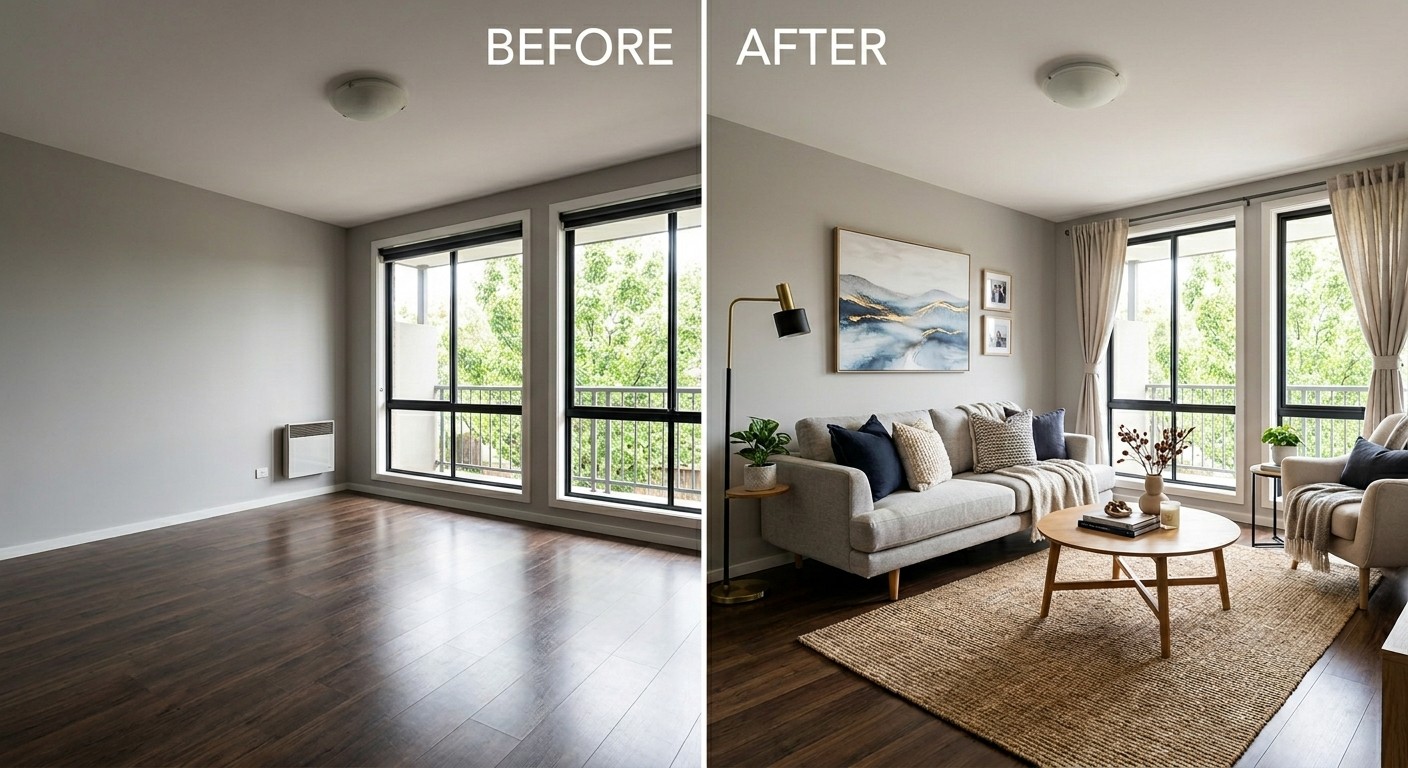
For agents, virtual staging is the highest-leverage rendering use case. A $30 staged photo can move a listing that's been sitting for months.
Renovation Visualization
Show what a property could become. This is where rendering gets interesting for fixer-uppers and value-add deals. A buyer looking at a tired 1980s kitchen sees one thing. A buyer looking at the same kitchen alongside a render of its potential sees something completely different.
Investors use this approach to communicate value-add stories to lenders and partners. Agents use it to broaden the buyer pool for difficult listings.
How AI Is Changing Real Estate Rendering
The economics of real estate rendering have shifted dramatically. What used to require a visualization studio, weeks of turnaround, and four-figure invoices now happens in seconds for the cost of a monthly subscription.
The shift matters for three reasons:
Volume becomes possible. When each render costs $500, you produce a few. When each render costs ten cents, you produce dozens. Agents can now render every listing variation, not just the hero shots.
Iteration becomes fast. Traditional rendering has revision rounds. AI rendering has unlimited variations. Try the kitchen with white cabinets, then dark cabinets, then natural wood — in the time it takes to make coffee.
Pre-construction marketing democratizes. Small developers and custom home builders couldn't afford the rendering packages that big developers used. Now they can.
The catch: most AI rendering tools have a real limitation that matters for real estate work specifically.
The Multi-Angle Problem
Most AI rendering tools work from 2D screenshots or photos. You upload one image, you get one rendered version of that one image. Need a different angle? Take another screenshot, upload again, render again. The result: every angle is a fresh render with no guarantee that materials, lighting, or finishes will match.
For real estate marketing, this is a problem. A listing needs multiple consistent views — exterior, kitchen, living room, primary bedroom — that all feel like the same property. Inconsistent renders look amateur and undermine buyer trust.
ArchRender solves this by importing actual 3D model files (OBJ, FBX, GLB) instead of screenshots. Upload the property model once, then render from any angle. Materials stay consistent. Lighting feels coherent. Every view looks like part of the same property — because it is.
Best Practices for Real Estate Renders
The most effective real estate renders share common traits, regardless of how they're produced.
Use eye-level perspectives. Camera height of 5 to 6 feet feels natural. Buyers should imagine themselves standing in the space, not floating above it.
Show context. A house surrounded by void looks fake. Add neighboring structures, landscaping, sky, and street. For interiors, show window views — empty windows feel artificial.
Light for emotion. Midday sun creates harsh shadows. Golden hour adds warmth. Twilight with interior lights glowing creates the most aspirational feel and is the single most effective shot for luxury and pre-construction.
Stage with restraint. Real homes have stuff. Books on shelves, throws on chairs, cutting boards on counters. But too much clutter reads as messy. Aim for "just-tidied" rather than "showroom" or "lived-in chaos."
Match the buyer. A render for a family home should feel warm and lived-in. A render for a luxury condo should feel curated and aspirational. The same property, marketed to different buyers, often needs different renders.
Common Real Estate Rendering Mistakes
Overly perfect. When everything is too clean, too symmetrical, and too well-lit, the render reads as fake. Buyers stop trusting it. Add small imperfections — a slightly crooked chair, a folded throw, a half-open book.
Wrong scale furniture. Furniture that's too large makes rooms look small. Too small makes rooms look cavernous. Use real dimensions whenever possible.
Missing reflections. Glossy floors should reflect. Glass should reflect. Stainless appliances should reflect. Renders without reflections feel artificial.
Inconsistent style across views. A modern kitchen paired with a traditional living room signals that the renders weren't done as a coordinated set. This is the biggest tell that AI screenshot-based tools were used without care.
Sky too dramatic. A heroically dramatic sky behind a suburban tract home looks ridiculous. Match the atmospheric feel to the property tier.
Generic landscaping. Mature trees, manicured lawns, and lush gardens around a property that's actually surrounded by gravel and saplings sets buyer expectations that reality won't meet.
Real Estate Rendering Software Options
Different tools work better for different real estate use cases.
Traditional Rendering Studios
For pre-construction projects with budgets above $10,000, full-service visualization studios still produce the highest-end work. Look for studios with real estate portfolios specifically — architectural renders and product renders require different sensibilities.
Virtual Staging Services
BoxBrownie, VirtualStaging.com, and similar services offer per-image staging at $20 to $50 per room. Turnaround is typically 24 to 72 hours. Quality is consistent but not customizable mid-project.
AI Real Estate Tools
REimagineHome, ReRoom AI, and Interior AI focus specifically on virtual staging from photographs. Strong for empty-room redesign. Less useful for pre-construction or new builds without existing photography.
AI Rendering for Pre-Construction
For pre-construction and new builds, you need a tool that works from architectural models, not photos. ArchRender is the only AI rendering tool that imports actual 3D model files (OBJ, FBX, GLB) — meaning you can take a SketchUp, Revit, or Rhino model from your architect and render listing-quality images from any angle.
This matters for real estate specifically because pre-construction marketing requires multiple consistent views of the same property. Screenshot-based tools can't deliver that consistency.
Who Needs Real Estate Rendering?
Real estate developers marketing pre-construction projects. Renders are the listing photos until the building is built.
Real estate agents marketing vacant homes, fixer-uppers, or properties that struggle to photograph well. Virtual staging adds furnish and style to empty spaces. Renovation renders show potential.
Custom home builders selling spec homes or showing prospective clients what their finished build will look like.
Property investors communicating value-add stories to lenders, partners, or buyers. Before/after renders make the math feel real.
Architects and designers working on residential projects who want to deliver listing-ready images alongside their design work as a value-add for builder clients.
The Bottom Line
Real estate rendering used to be a luxury reserved for major developers and high-end listings. The tools were expensive, the timelines were long, and the costs put it out of reach for individual agents and smaller builders.
That's no longer true. AI rendering has made photorealistic visualization fast, affordable, and accessible. Single-listing renders that used to cost hundreds of dollars now cost cents. Multi-room marketing packages that took weeks now take an afternoon.
For agents, developers, and builders willing to learn modern rendering tools, the marketing advantage is significant. Better visuals drive more interest, more showings, and faster closes. Renders aren't just nice-to-have anymore — they're table stakes for any listing where buyers need to imagine the finished product.
Ready to render your real estate projects in seconds?
ArchRender is the only AI rendering platform that imports actual 3D model files — OBJ, FBX, and GLB. Upload your property model once, then render unlimited consistent views from any angle. Photorealistic results in seconds. No GPU hardware. No rendering expertise.
This guide is part of our series on architectural visualization. Also see: Exterior Rendering: The Complete Guide, Interior Rendering: The Complete Guide, and Best AI Architectural Rendering Software in 2026.